Scenaloom's story structure tools — outline, beat board, scene board and story bible — sit in the same project as the script and read from it. Scenes come from your scene headings, so the plan and the pages describe the same story.
An outline beside the script
You get a place to plan each episode in prose before or while you draft. The outline is rich text, one per episode, so a feature has one and a series has one for every episode.
Because it lives in the project, Scenaloom AI can read it when you pick the outline as a scope, and you can export it whenever someone asks for a document that tells the story start to finish.
Beat sheets from story structures
You can start a beat board from a familiar shape instead of a blank page. Pick a three-act structure, a fifteen-beat sheet or a hero's journey, and each beat is placed at its usual share of the target length — 110 pages unless you set another.
With the default 110-page target, for example, a midpoint placed at half the story sits around page 55. The beats give you a shape to write toward, and you can move away from it whenever the story asks.
The story map then shows the script against that target and marks pages past it in red, so an overlong act is visible while there is still time to cut. The board is covered in outline and beats; for the craft behind it, read the beat sheet guide.
Scene board, scene list and story canvas
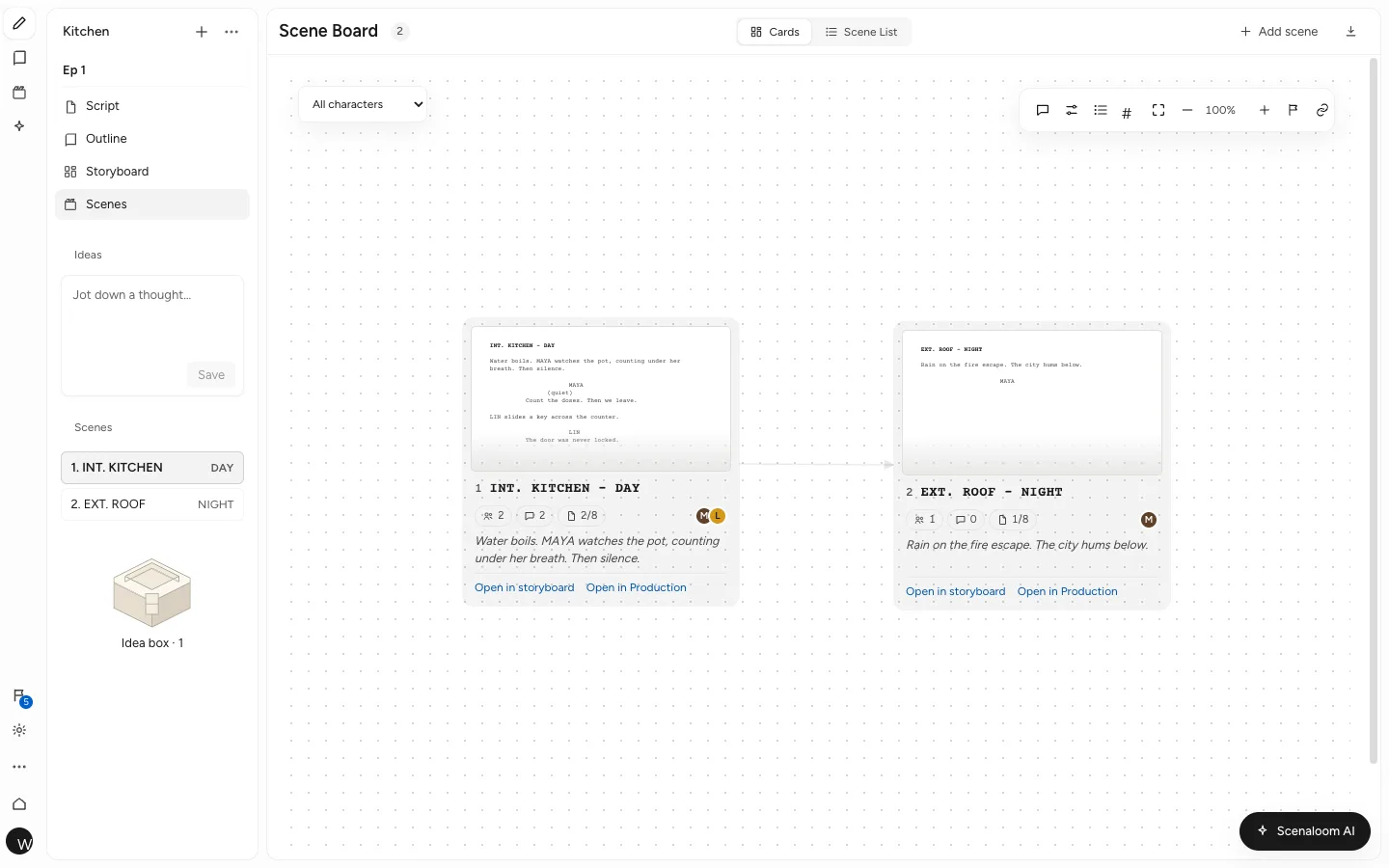
You see every scene at once, as cards or as rows. The scene board shows scenes as cards; the scene list is a sortable table you can export. Both come from scene headings, so a new INT. or EXT. line in the script is a new scene on the board.
- An episode board for series, to see a season at a glance.
- A story canvas in novel projects, with cards, links between them, grouping and undo.
Worldview: worldbuilding software for your story bible
You get one place for the facts the story depends on. Worldview holds entries such as the logline, the core issue and any custom entries you add, with templates such as Short drama and Feature film to start from.
Scenaloom AI reads these entries for context, so a rule written once — nobody leaves the island after dark — informs the notes you get later. More in Worldview and knowledge.
A knowledge base from your own files
You can keep reference material inside the project instead of a separate folder. Upload .txt, .md, .fountain, .csv, .json, .pdf or .docx files up to 10 MB each, with PDFs up to 200 pages: a source novel, research or a set of notes. You choose which files the assistant may read.
A series writer might upload the network's notes and the previous season's episode list; a novelist adapting their own book might upload the manuscript as a PDF and point the assistant at the chapter they are turning into a scene.
Export outlines, beat sheets and scene lists
Your planning work leaves the app in useful shapes. Export outlines and beat sheets as documents, and scene lists as CSV sheets in UTF-8 that open in Excel or Google Sheets.
Why linked structure matters
A plan kept in a separate file goes stale the first time you move a scene. In Scenaloom the scene board and scene list are read from the draft, so cutting a scene in the script removes it from the board, and adding one adds a card. You spend the time on the story, not on keeping two documents in agreement.
Structure tools are included on every plan. Start a project and add your beats on day one.
Questions
What is a beat sheet?
A beat sheet is a list of the major turning points in a story, in order, often with a rough page where each should land. In Scenaloom you can start a beat board from a three-act structure, a fifteen-beat sheet or a hero's journey, with each beat placed at its usual share of your target length.
Which story structures can I start from?
Scenaloom's beat board can start from a three-act structure, a fifteen-beat sheet or a hero's journey. Each beat is placed at its usual share of the target script length, which is 110 pages by default. The story map marks pages past the target in red.
Does the scene board update when I edit the script?
Yes. Scenaloom reads scenes from your scene headings, so the scene board and scene list follow the script. Add a scene heading and a new scene appears; the board is a view of the draft, not a separate copy that needs updating by hand.
What is a story bible?
A story bible is the reference document for a story's world: its logline, characters, places and rules. In Scenaloom it is called Worldview, with entries for the logline, core issue and anything else you add, plus templates such as Short drama and Feature film. Scenaloom AI reads it for context. Worldview is the worldbuilding app inside each Scenaloom project.
Can I export my outline or beat sheet?
Yes. Scenaloom exports outlines and beat sheets, and exports scene lists as UTF-8 CSV sheets that open in Excel or Google Sheets. The script itself exports as PDF, Final Draft (.fdx), Fountain, Word (.docx), plain text or Markdown, so the plan and the pages can travel together.