Scenaloom builds character and location pages from your screenplay: every character cue becomes a character and every scene heading a location. Props sit alongside them, and all three export as CSV sheets for a script breakdown.
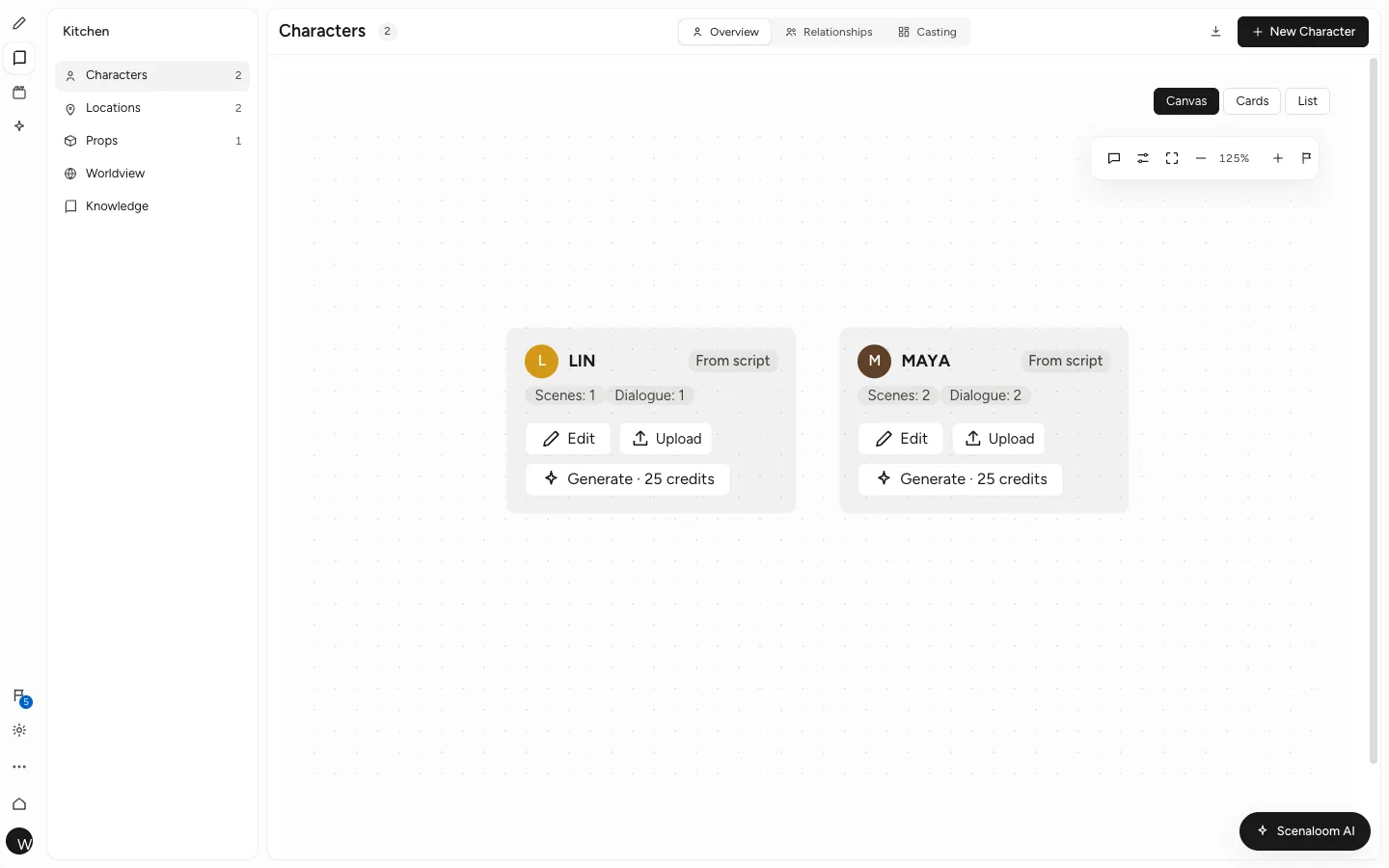
Built from character cues and scene headings
You get a cast list and a location list without typing either. When you write a new cue, the character appears in the project; when you write INT. BOATHOUSE - NIGHT, the boathouse appears among the locations.
Rename a character or location on its page and the change follows into the script, so DET. RUIZ does not stay DET. RUIZ in half the scenes after she makes lieutenant. The formatting check also flags one character spelled two ways, with each spelling linked to its line.
Character pages and relationships
You get one page per character for what you would otherwise keep in a notebook: notes, details and how they connect to everyone else. The relationships graph maps those connections — family, rivals, the one person who knows the secret.
When you want a visual reference, look sheets and portraits can be generated from the character. Generation uses credits, and the cost is shown before you run it.
Locations and scouting
You see every place the story goes. Each location comes from your scene headings, and the scouting sheet gathers them for the people who will go and find them. A location used in twelve scenes is one location with twelve scenes, not twelve entries to tidy up.
Props
You can keep track of the objects the plot depends on — the letter, the spare key, the dented thermos — each with a category and description, in the same project as the scenes they appear in. One list gives continuity one place to check when the thermos has to look the same in scene 4 and scene 40.
Casting sheets and CSV exports for breakdowns
You get sheets a production team can open on the first day. Export casting, locations and props as CSV sheets in UTF-8 that open in Excel or Google Sheets, alongside scene lists and shot lists.
A first-pass breakdown no longer starts with a highlighter and a printed script; it starts from lists already drawn from the pages. Each sheet is described in characters, locations and props.
Names stay consistent across drafts
You do not maintain a cast list by hand. Because these pages are read from the draft rather than copied from it, a new speaking part or a new location shows up as soon as you write it, in your draft and in your co-writers' views.
The same entities feed the rest of the project. Shot lists and storyboards sit under the scenes these characters appear in, as described on the storyboards and production page.
Script breakdown software, from draft to sheets in five steps
- Finish or import the draft.
- Open Characters and run the formatting check to catch any name spelled two ways.
- Add the props your scenes depend on, with a category for each.
- Fill in casting and scouting details on the character and location pages.
- Export casting, locations and props as CSV and share the sheets with your team.
The script stays the source throughout: if a rewrite adds a new location, it appears on the locations page before the next export.
Works with scripts you import
You can bring an existing script and get the same lists. Scenaloom imports Final Draft (.fdx), Fountain and PDF scripts, and the cues and scene headings in an imported script are read like any written in the editor.
Character and location pages come with every script project, on every plan. Start writing and the cast list fills in as you go.
Questions
How does Scenaloom make a character list from a script?
Scenaloom reads character cues — the names in capitals above dialogue — and creates a character page for each one. It does the same for locations from scene headings. You do not type the list; it appears as you write and stays in step with the draft.
Can I export a character list or location list?
Yes. Scenaloom exports casting, locations and props as CSV sheets in UTF-8 that open in Excel or Google Sheets. Scene lists and shot lists export the same way, which gives a production team a starting point for a script breakdown.
What happens if I rename a character?
When you rename a character or location on its page in Scenaloom, the change follows into the script. The formatting check also lists any character spelled two ways, each linked to its line, so a stray variant does not become a second character.
Do I have to add characters by hand?
No. Characters come from the cues you write and locations from your scene headings. You add the details — notes, relationships, casting and scouting information — and props with a category and description for each. Imported Final Draft, Fountain and PDF scripts are read the same way, so their cast and locations appear too.
Can I generate portraits of my characters?
Yes. Look sheets and portraits can be generated for a character as a visual reference. Generation uses credits, and Scenaloom shows the cost before you run it; plans and credits are listed on the pricing page. Portraits are optional; character pages work without them.