A screenplay template is a starting file with the title page and every script element already in the right place, so you only replace the words. The free template below is written in Fountain, a plain-text screenplay format, so you can copy it into any app that reads Fountain and see it laid out as proper script pages.
Fountain was made so that a script typed in an ordinary text editor could be read by people and by software alike. Capitals, colons and blank lines carry the formatting, which makes it the most portable script template there is: it survives email, notes apps and version control without breaking.
Copy the screenplay template
Copy everything in the block. The lines at the top before the first blank line are the title page; the rest is the script.
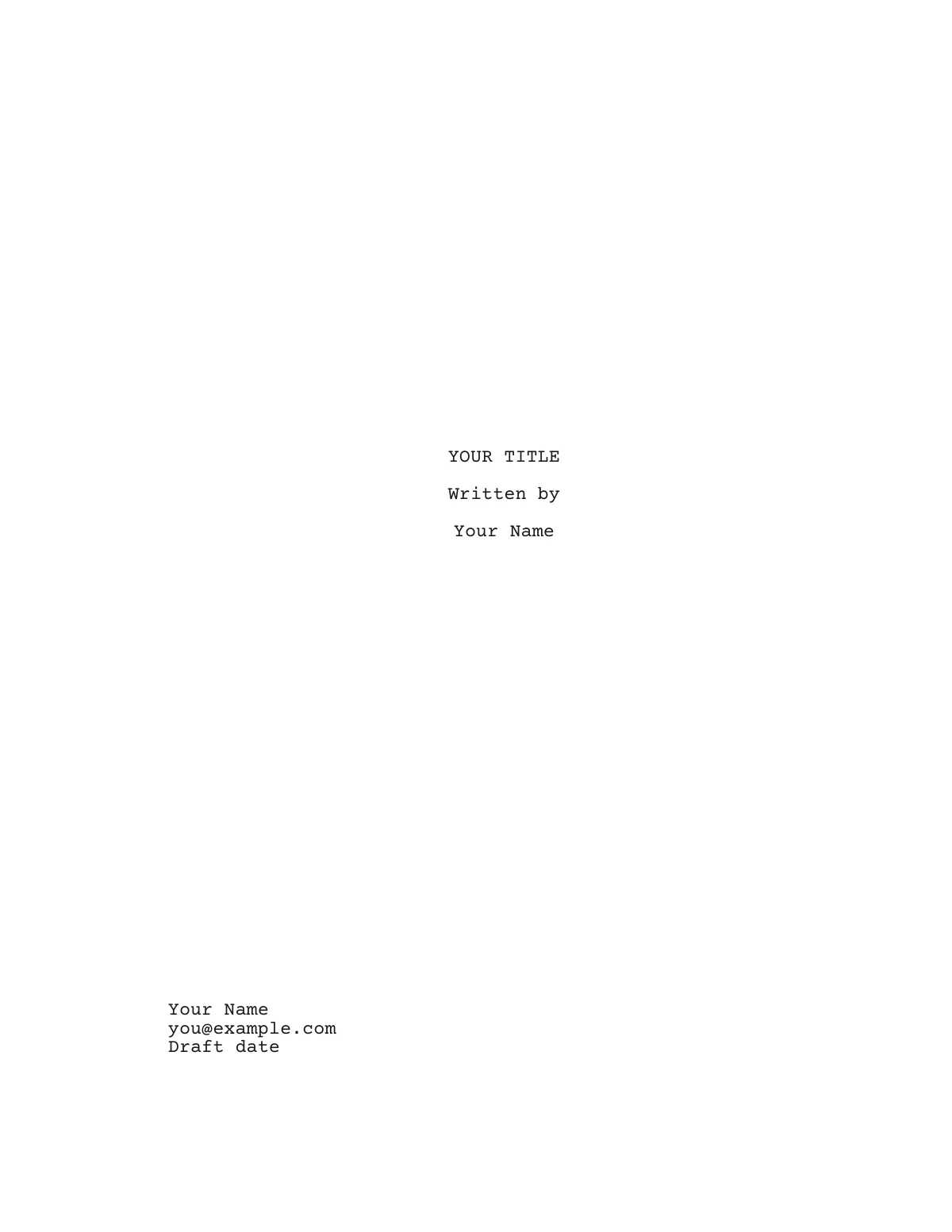
Title: YOUR TITLE
Credit: Written by
Author: Your Name
Contact: you@example.com

FADE IN:

INT. FIRST LOCATION - DAY

Action in the present tense. Introduce a NEW CHARACTER (30s) in capitals the first time we see them.

NEW CHARACTER
(quietly)
A line of dialogue.

SECOND CHARACTER (O.S.)
A reply from off screen.

CUT TO:

EXT. SECOND LOCATION - NIGHT
Download the screenplay template
The same template as a file, in the three formats screenwriters exchange. Each holds a title page and one example of every element — scene heading, action, character, parenthetical, dialogue and transition — ready to overwrite.
Screenplay template (Fountain)Plain text that any Fountain-aware app or text editor opens
How to use this script template
- Paste the block into a plain-text editor, or straight into a screenwriting app that reads Fountain.
- Fill in the title page. Keep the credit as "Written by", put your name under Author and one way to reach you under Contact. The title page guide explains what to leave off.
- Rewrite the scene heading: INT. or EXT., the place, a dash and the time of day.
- Write the action underneath in short present-tense paragraphs.
- Add speeches by repeating the pattern: a blank line, a name in capitals, then the dialogue on the very next line. A parenthetical goes between the two.
- Start every change of place or time with a new scene heading.
- Open the file in your screenwriting app to check the pages, then export a PDF to share.
Here is the same template after a first pass — every element kept, only the words replaced:
INT. HARBOR CAFE - DAY

Rain on the windows. IDA BRANDT (60s) counts coins into a saucer, twice.

IDA
(to the empty room)
Short again.

KOFI (O.S.)
Then stop counting.

KOFI (30s), apron, steps out of the kitchen with two mugs.

CUT TO:
How Fountain marks each element
Fountain reads the shape of a line rather than hidden styles. These are the rules the template relies on:
- Scene heading: a line that starts with INT., EXT., INT./EXT. or EST. Put a period in front of any other line to force it into a heading.
- Character cue: a line in capitals with a blank line above it and dialogue directly below it.
- Parenthetical: a line in parentheses inside a speech.
- Dialogue: any text directly under a cue or parenthetical.
- Transition: a line in capitals that ends in TO:, standing alone.
- Title page: key and value pairs such as Title: and Author: at the very top of the file, ended by a blank line.
- Notes to yourself go in double brackets, [[like this]], and do not print.
Fountain can also hold an outline inside the script. A line starting with # marks a section such as an act, and a line starting with = is a one-line synopsis of the scene below it. Neither prints, so you can plan in the same file you write in and delete the scaffolding later.
Script format template vs a word-processor template
A script format template for Word or Google Docs is a set of paragraph styles — one per element, each with its own indent. It gets the look right but leaves the hard parts to you. A word processor does not know that a character cue must not end a page, that a split speech needs (MORE) and (CONT'D) or that scene numbers should not renumber after a cut. A plain-text Fountain template has the opposite trade-off: it carries no layout at all and depends on software to set the pages.
Whichever you use, the rules underneath are the same ones explained in the screenplay format guide: Courier 12, a 1.5-inch left margin and a fixed column for each element.
Movie script template vs TV script template
A movie script template and a TV template share every element. The differences are around the edges:
- Title page: a TV script carries the series title, then the episode title in quotation marks underneath.
- Structure: many TV dramas mark act breaks (END OF ACT ONE) and may open with a cold open or teaser before the main titles.
- Length: a feature runs roughly 90 to 120 pages; an hour-long drama episode roughly 50 to 65.
A TV version of the template opens like this:
Title:
    NIGHT ROUTE
    "The River Depot"
Credit: Written by
Author: Your Name

COLD OPEN

FADE IN:

EXT. RIVER DEPOT - NIGHT

A single lamp. An empty bus, engine still running.

END OF COLD OPEN
The TV pilot guide covers how a first episode is built.
A script outline template to plan with
A script outline template is the plan you fill in before the pages: a one-line story, the turning points in order and a list of scenes. Copy this skeleton into any document:
- Logline: one sentence that says who wants what and what stands in the way.
- Act one, roughly the first quarter: the world, the event that disrupts it and the decision that commits the hero.
- Act two, roughly the middle half: rising complications, a shift at the midpoint and a low point.
- Act three, roughly the last quarter: the confrontation and what has changed afterward.
- Scene list: one line per scene — the heading plus what changes in it.
For a more detailed plan, a beat sheet breaks those acts into fifteen or so named story beats with page targets.
Template or finished example?
A template shows you where things go; a finished script shows you how they read. If you learn better from examples, the Screenplay Museum has six original one-page screenplays — a cold open, an intercut phone call, a single-location scene and more — and each can be opened as your own project to pull apart and rewrite.
Write it in Scenaloom
Scenaloom's New page takes this template as it is: paste the text and the scenes become a formatted script, or start a blank script that formats itself as you type. Save the template as a .fountain file and import it instead, and the title page fills in the cover page too. Scenaloom also imports Final Draft (.fdx) and PDF, and exports to Fountain, Final Draft, Word and PDF. Start a new script and keep the template for reference.
Questions
Is there a free screenplay template?
Yes — the Fountain template on this page is free to copy and use. It includes a title page and one scene that shows a scene heading, action, a character cue, a parenthetical, dialogue, an off-screen line and a transition. Paste it into any app that reads Fountain, or into Scenaloom's New page, and it lays out as script pages.
What should a movie script template include?
A movie script template should include a title page (title, "Written by", author and contact) and correctly placed examples of each element: scene heading, action, character cue, parenthetical, dialogue and transition. It should also be set in 12-point Courier on US Letter with a 1.5-inch left margin, so the page count stays meaningful.
What is a script outline template?
A script outline template is a planning skeleton you fill in before writing pages: a logline, the main turning points of each act and a one-line list of scenes. It keeps the story's shape visible while you draft. A beat sheet is a more detailed version that names each story beat and gives it a page target.
What is Fountain?
Fountain is a plain-text markup for screenplays. Scene headings, character cues and transitions are recognized from capitals, colons and blank lines, so a script typed in any text editor can be opened in screenwriting software as formatted pages. Scenaloom imports and exports Fountain (.fountain) files — see import and export.
Can I use a screenplay template in Google Docs?
You can build a screenplay template in Google Docs with one paragraph style per element, but Docs will not add (MORE) and (CONT'D) at page breaks or keep cues with their dialogue. For anything longer than a short scene, software that formats screenplays as you type saves that manual work.