Scenaloom turns scenes into production plans: a shot list and storyboard for each scene, generated frames and posters, video and audio takes plus a multi-track film timeline, all inside the project where the script lives. Generation uses credits, and the cost is shown before you run anything.
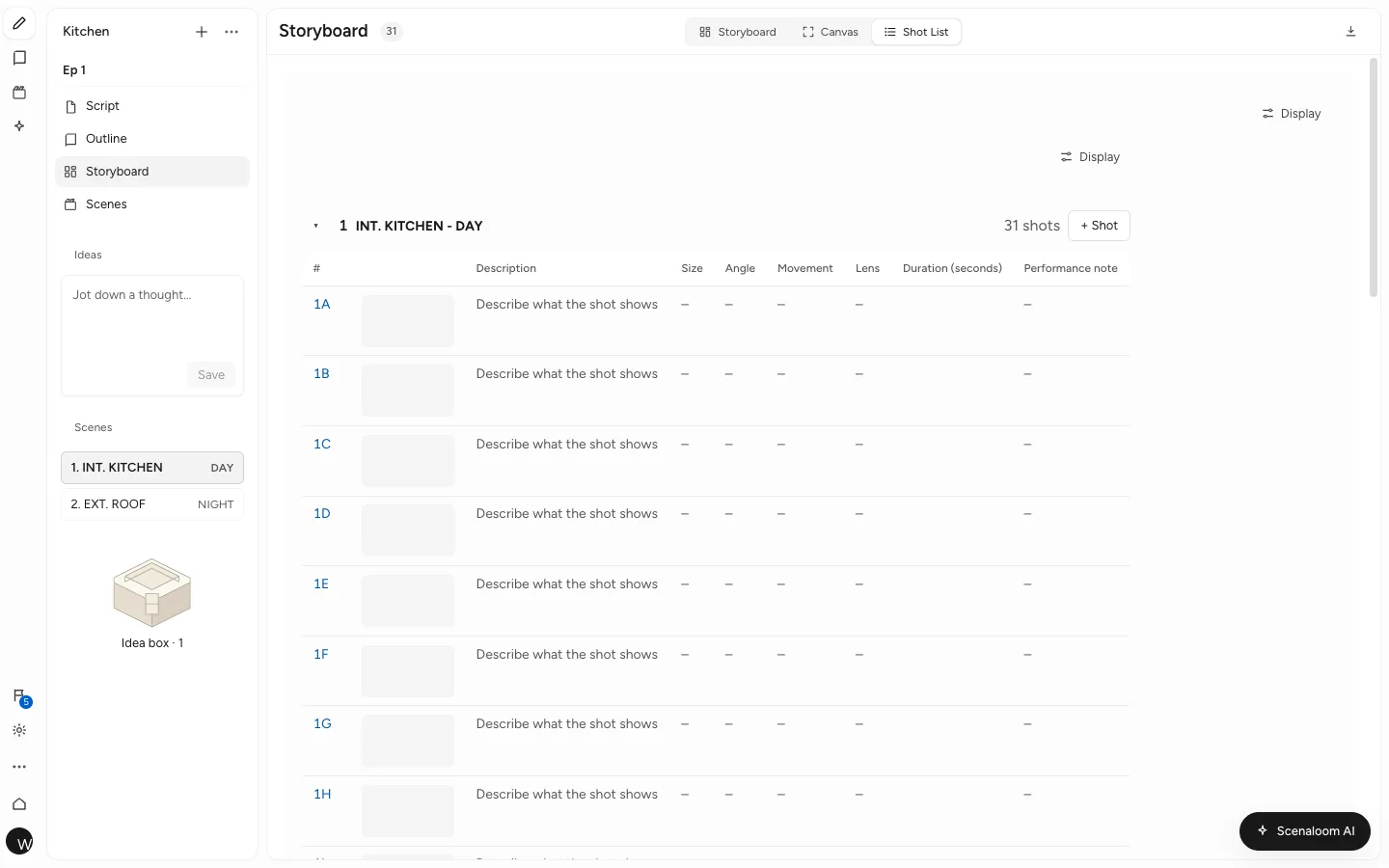
Shot lists for every scene
You get a shot list attached to the scene it belongs to, not a separate spreadsheet that drifts from the script. Open a scene in the shot studio to add shots, set camera details and review suggested shots for that scene.
When the crew needs it, export the shot list as a UTF-8 CSV sheet for Excel or Google Sheets. Shot fields are covered in storyboards and shots.
A typical pass on one scene:
- Open the scene in the shot studio.
- Review the suggested shots and keep the ones you want.
- Set camera details for each shot.
- Generate storyboard frames, checking the credit cost first.
- Export the shot list as CSV for the crew.
An AI storyboard generator linked to the script
You see the scene as pictures beside the words. Scenaloom's AI storyboard generator starts from the scene you wrote rather than a blank prompt, and you can still draw or upload any frame yourself, so it works as a storyboard creator too. To turn a scene into a storyboard:
- Open Storyboard. Shots are grouped under each scene heading of the script.
- Choose Suggest shots on a scene. The AI reads the scene and proposes a shot list; keep the shots you want with Add these shots.
- Choose Draw frame on a shot to generate its storyboard frame from the shot's description, with the cost in credits on the button, or upload your own image.
- Open a shot in the shot studio to change its size, angle, movement or lens, then redraw the frame if it no longer matches.
Starting from an idea rather than a script? A project that has an idea but no scenes yet offers Storyboard this idea on its empty storyboard. The idea becomes the first scene of the script and the AI suggests its shots for one writing card; you choose which to keep, and nothing is drawn or filmed until you ask.
Shots and frames live under the scene they belong to. Because scenes come from your scene headings, the storyboard is organized the way the script is.
Production reels
You can plan short clips with direction attached. A production reel is a 5 to 15 second clip with its own shot list and its own direction for mood, lens and light — a useful shape for a proof of concept, a pitch or a mood piece.
The direction fields give everyone the same vocabulary: mood says what the clip should feel like, lens how close and how wide the camera sits, and light where it comes from and how hard it falls.
Generated images, video and audio
You can make visual material for pitching and planning without leaving the project:
- A film poster and cast posters.
- Storyboard frames for each shot.
- Look sheets for characters.
- Video takes and audio.
Video projects carry their own settings for orientation, type and camera, so a vertical short and a widescreen scene can sit in the same account.
A multi-track film timeline
You can put the pieces in order. The film timeline arranges video takes and audio on multiple tracks, so you can assemble a reel or a scene and watch it through. Seeing three takes in order is often the quickest way to learn whether a scene's rhythm works before anyone books a location. How assets and the timeline fit together is in generated assets and video.
What generation costs
You see the price before you spend anything. Images, video and audio use credits, and the cost appears before each run, so there are no surprises at the end of the month.
On the Free plan you get 10 refresh credits a day, and what you don't use expires at midnight UTC. Writer, Pro, Studio and Studio Max add more for heavier production work. Compare them on the pricing page.
Why production belongs next to the script
Most productions copy a script into four other tools and then spend weeks keeping them in step. In Scenaloom, scenes, characters and locations are read from the draft, so the shot list, the storyboard and the casting and location sheets start from the current pages, not last month's.
Open a project and plan the shots for your first scene.
Questions
Can I make a storyboard from a script?
Yes. In Scenaloom each scene in your script has a storyboard. Plan the shots for the scene, then generate storyboard frames for them; the frames stay filed under that scene. Generating frames uses credits, and the cost is shown before you run it.
How do I make a shot list from a screenplay?
Open a scene in Scenaloom's shot studio, add shots, set camera details and review the suggested shots for that scene. Each scene keeps its own shot list, and you can export shot lists as UTF-8 CSV sheets that open in Excel or Google Sheets.
How much does it cost to generate images or video?
Generation in Scenaloom uses credits, and the exact cost is shown before you run each generation. The Free plan includes 10 refresh credits a day, and unused ones expire at midnight UTC; paid plans from $20 a month add more credits for regular production work.
What is a production reel?
A production reel in Scenaloom is a short clip of 5 to 15 seconds with its own shot list and direction for mood, lens and light. Reels suit a proof of concept, a pitch or a mood piece, and can be assembled on the multi-track film timeline.
Can I export storyboards and shot lists for my crew?
Shot lists export from Scenaloom as UTF-8 CSV sheets, as do scene lists, casting, locations and props. The script itself exports as a PDF that matches the editor page, along with Final Draft (.fdx), Fountain, Word (.docx), plain text and Markdown.